
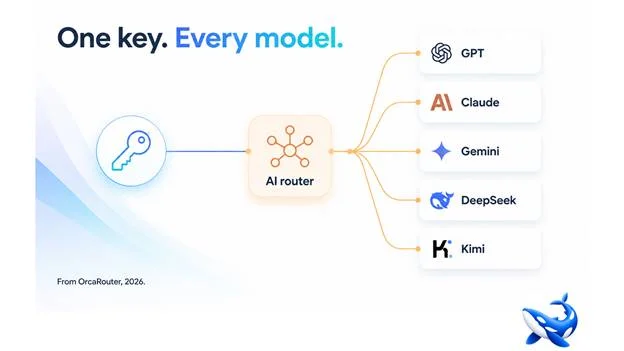
Running more than one model in production is the norm now, and it usually looks worse than it should: a handful of vendor accounts, a pile of keys, rate-limit conversations with each provider, and the model-switching logic scattered through your code. An AI router collapses all of that into one API key and one compatible endpoint. OrcaRouter is one platform built around this pattern; this is the setup — what it feels like, and why it is the right way to run multiple models.
What the mess actually is
Once a team runs two or three models, the friction compounds:
• Keys and accounts. Each vendor is a separate account, a separate key, a separate billing relationship, a separate set of rate limits.
• Code-level switching. The logic for “which model do I call” lives in the application, duplicated per service, re-implemented per team, and wrong in subtly different ways.
• Vendor-specific quirks. Different request formats, different tool-calling conventions, different error behaviour. Your client code has to handle all of it.
This is manageable at one model, tolerable at two, and genuinely bad at five. The multi-model setup without a router is a tax on scale.
What one key changes
The router exposes a single OpenAI-compatible endpoint. Your application talks to that endpoint with one key, and the router handles everything behind it:
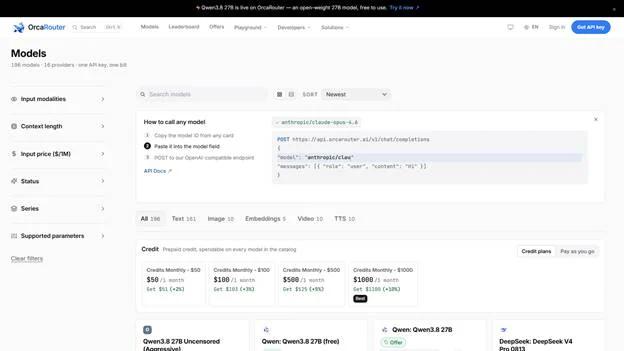
• The pool. Every model you use — across vendors — is configured in one place. Adding a model is a configuration change.
• The client. Because the endpoint is OpenAI-compatible, your existing client works unchanged. The same code that called GPT yesterday calls the router today, and can reach Claude or DeepSeek or Gemini tomorrow.
• The switching. Which model answers which request is the router’s decision, not your code’s. Your application asks “give me an answer” and the router picks the model.
The result is that “we use multiple models” stops meaning “we maintain multiple integrations” and starts meaning “we have one integration and a pool.”
The operational difference
Beyond the developer ergonomics, one key changes the operations:
• Rate limits. One relationship instead of five. When one provider rate-limits you, the router can shift the traffic rather than fail the request.
• Billing. One bill instead of five, with per-model and per-team breakdowns. The question “what did we spend on Claude vs GPT” is a report, not a spreadsheet.
• Rollout. When a new model ships — or a cheaper one appears — you add it to the pool and let the routing rules decide. No migration project.
That last point is the one that compounds. The model landscape moves fast, and the team that can add a new model to a router in an afternoon has an advantage over the team that has to rebuild an integration to evaluate it.
The migration is one line
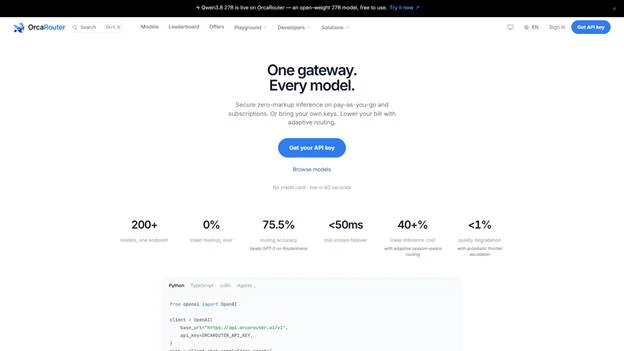
If your code calls an OpenAI-compatible endpoint today, pointing it at a router is a base-URL and key change — the client, the streaming, the tool-calling all keep working. You do not rewrite the integration to add another model; you add it to the pool. That means the decision to use multiple models stops being a project and starts being a configuration change you can make in an afternoon.
The pool as a strategy
Once the pool exists, the mental shift follows: your model strategy stops being “pick one” and becomes “maintain a pool with rules”. That is a better position in a market where models ship constantly. When a new model appears, you do not have to decide whether to abandon your current one — you add it to the pool and let the routing rules decide whether it earns traffic. The pool is the hedge: you are never betting the whole product on a single model’s continued quality or price. That optionality is worth more than any single benchmark advantage, and it is the real reason the multi-model setup matters.
The pool you already have
Chances are you already run more than one model — one for chat, one for extraction, one for code — you just manage them by hand. The router does not ask you to adopt models you do not need; it takes the ones you already run and puts them in one place with one key and one set of rules. The pool is not a recommendation to use five models; it is the organising structure for the two or three you already use. That is a smaller step than it sounds, and it is why the migration is one line rather than a rewrite: the models do not change, only the layer in front of them does.
The takeaway
Running multiple models without an AI router means multiple accounts, scattered switching logic, and a tax on every scale-up. With a router, one API key and one compatible endpoint reach every model in the pool — your client stays the same, adding a model is configuration, and which model answers a request is a decision made for you. That is what “one key, every model” actually buys: the multi-model setup without the mess.
Sourcing note: this article describes the AI-router category and OrcaRouter’s implementation. The single-key, OpenAI-compatible endpoint, and the pool configuration are OrcaRouter’s own published descriptions, checked August 2026.
